AI Agent Trader
AI Agent Trader is a MultiLaunchess trading workspace for market analysis, manual AI analysis, and automated trading workflows.
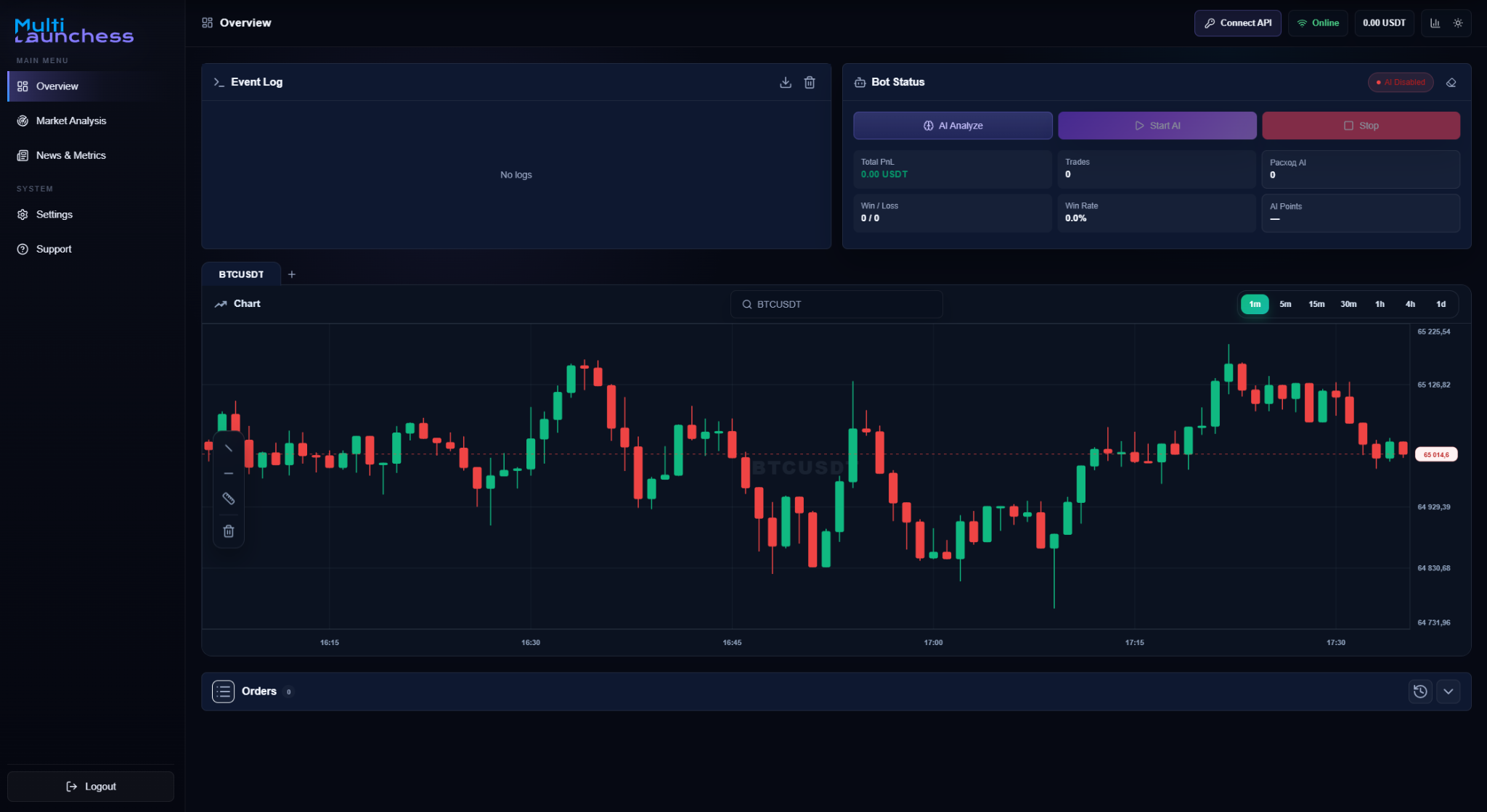
What is available
The main workspace includes:
- Event Log — shows what is happening during analysis and trading actions;
- Bot Status — manual AI analysis, start, and stop controls;
- chart — instrument and timeframe selection;
- orders and positions — the current trading-account state;
- Market Hunter — market scanning and candidate review;
- News & Metrics — news and macro context;
- AI usage history — runs, tokens, and cost;
- Settings — market mode, Auto Mode, and trading limits.
Manual AI analysis
To analyze a specific instrument:
- select a symbol on the chart;
- run AI Analyze;
- review the signal, confidence, and explanation;
- if a trade plan is available, review Entry, Stop Loss, and Take Profit;
- when Open Position is available, confirm the action yourself.
See Manual AI analysis.
Market analysis
Market Hunter scans the market and presents the candidates it finds.
You can:
- run a manual scan;
- run AI analysis on the candidates;
- filter and sort the results;
- open candidate details;
- open a candidate on the chart;
- download a report for the current results.
See Market Hunter.
Auto Mode
Auto Mode repeats market scanning and candidate checks automatically at the selected interval. If no suitable setup is found, no new position is opened and the system waits for the next cycle.
See Auto Mode.
Next steps
Start with Getting started, then review the Interface and Settings.