Troubleshooting
Connection is Offline
If the top bar shows Offline:
- check your internet connection;
- wait for the status to recover;
- retry the action after Online appears.
Exchange API does not connect
- reopen Connect API;
- check the selected exchange;
- check the entered API values;
- make sure the key has the required trading permissions;
- make sure withdrawals are disabled.
Manual AI Analyze is unavailable
Manual AI Analyze is disabled while Auto Mode is enabled.
Disable Auto Mode in Settings, save the changes, and retry.
Market Hunter Scan is unavailable
Manual scanning is unavailable when:
- Auto Mode is enabled or running;
- another scan is already running;
- AI analysis of current candidates is running.
Wait for the current action to finish or disable Auto Mode.
Market Hunter AI Analyze is unavailable
Market Hunter must first find at least one candidate.
Run Scan, wait for the results, then use AI Analyze.
BUY or SELL was shown, but no position opened
Review:
- the final analysis result;
- confidence;
- Entry / Stop Loss / Take Profit availability;
- configured limits;
- rejection reasons in Candidate details;
- Event Log.
See Why a trade was not opened.
Auto Mode is running but there are no new trades
This can happen when current candidates do not meet the entry conditions or a configured limit has been reached.
Open Market Hunter and Event Log to review the latest cycle.
Positions closed after Stop
This is expected for Auto Mode: Stop cancels active orders and attempts to close open positions.
Chart or quotes do not load
- check the connection status;
- select the instrument again;
- close and reopen the quotes window;
- check your internet connection.
Need help
Open Support.
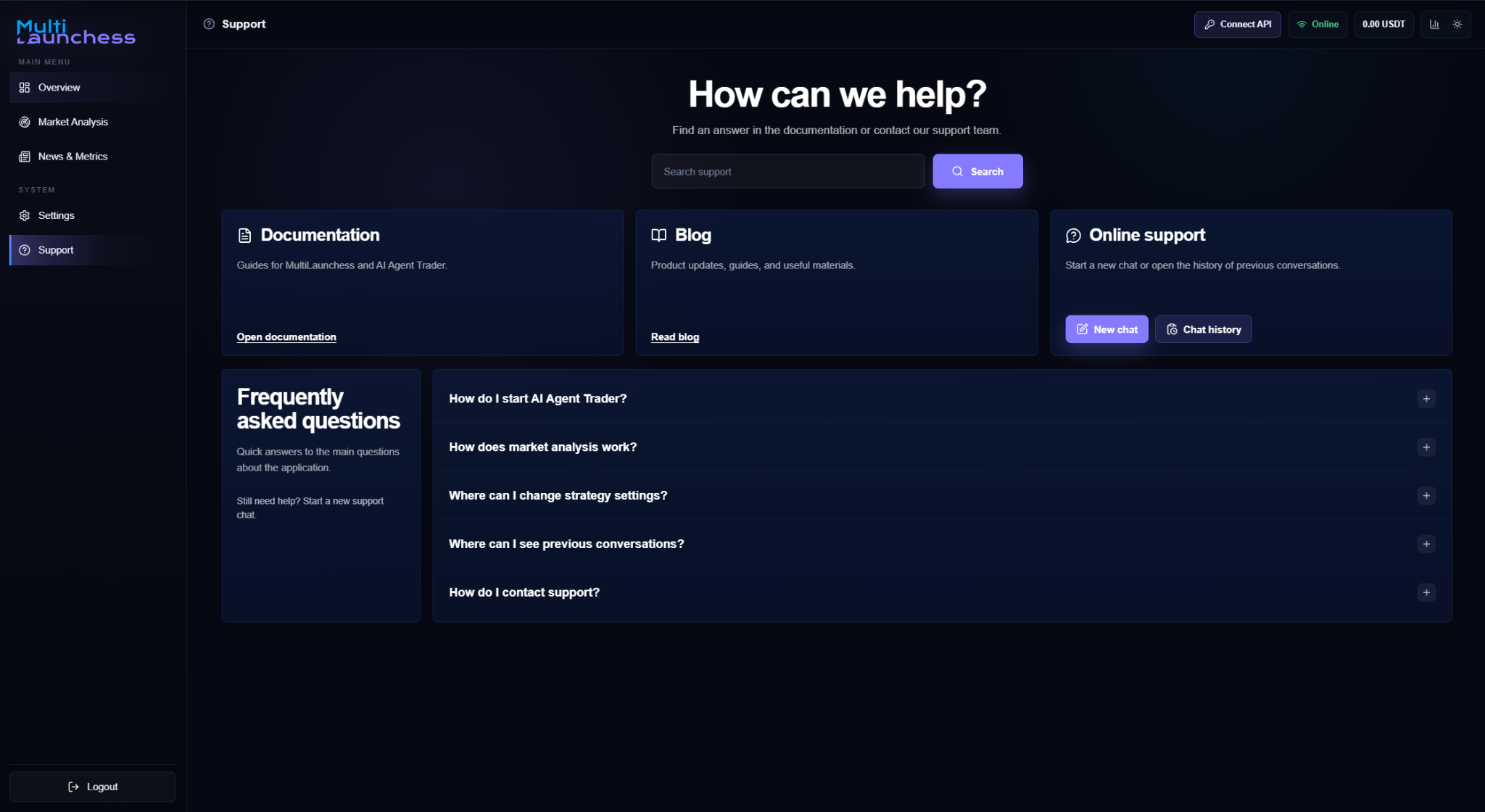
It provides documentation, search, online support, a new chat, chat history, and answers to common questions.