Settings
Open Settings from the gear icon in the top bar.
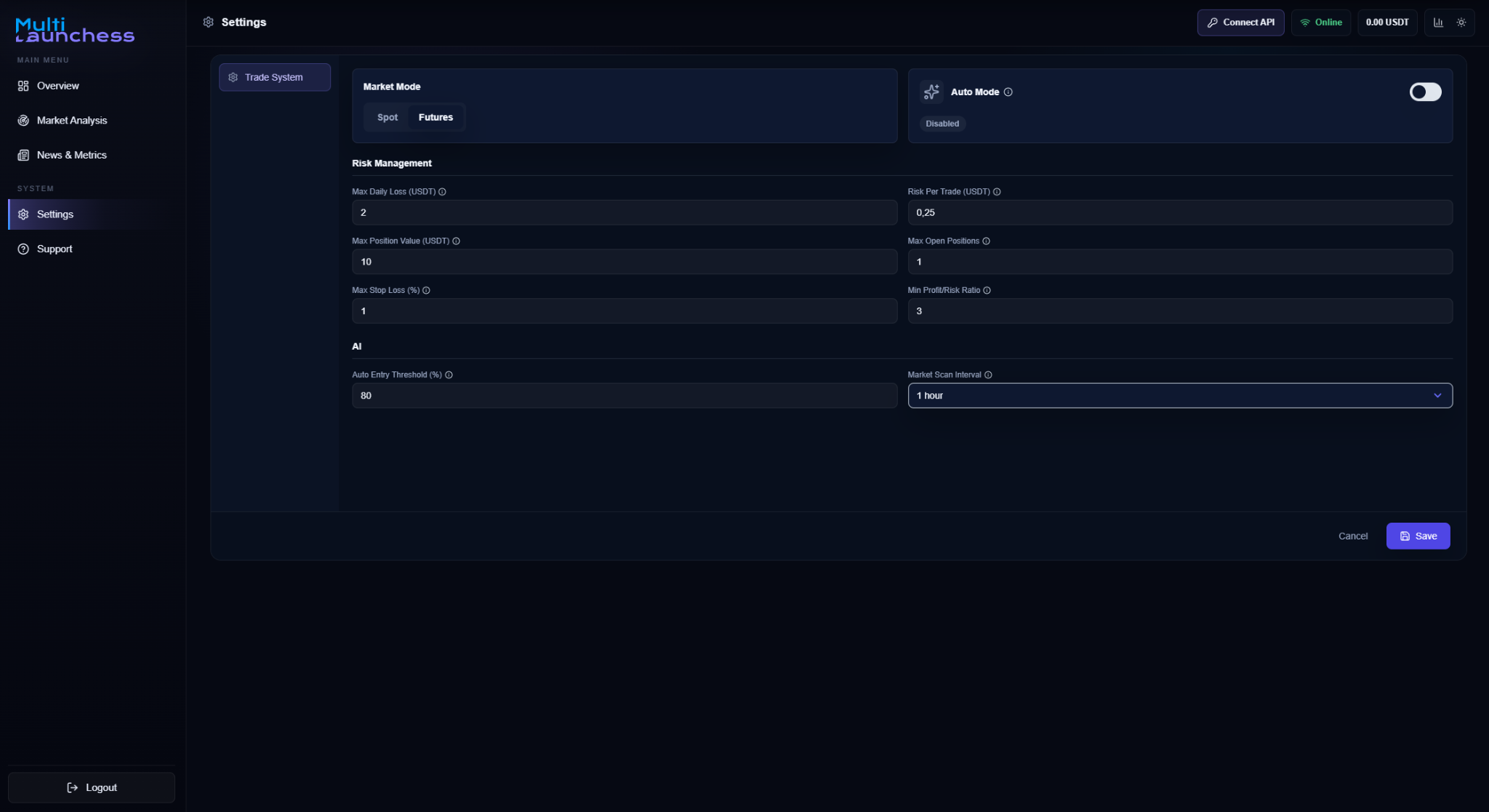
This screen contains the main parameters that control the AI Agent Trader operating mode and trading limits.
Market Mode
Choose the market you want to use:
- Spot;
- Futures.
Auto Mode
The Auto Mode switch enables or disables automated operation.
After enabling it and saving the settings, return to the main screen and use Start AI.
See Auto Mode.
Trading limits
Available settings include:
- Max Daily Loss (USDT) — maximum total loss allowed for the day;
- Risk Per Trade (USDT) — allowed risk for one trade;
- Max Position Value (USDT) — maximum value of one position;
- Max Open Positions — maximum number of positions that can be open at the same time;
- Max Stop Loss (%) — maximum allowed Stop Loss distance;
- Min Profit/Risk — minimum profit-to-risk ratio;
- Auto Entry Threshold (%) — minimum AI confidence required for an automatic entry;
- Market Scan Interval — how often Auto Mode searches for new candidates.
Available scan intervals are:
- 20 minutes;
- 30 minutes;
- 40 minutes;
- 50 minutes;
- 1 hour.
See Risk management.
Save settings
Click Save after changing the parameters.
If Auto Mode or market analysis is already running, the interface may ask you to confirm applying the new settings. Follow the confirmation message shown before saving.